yano@GT110b:~$ sudo apt-get install qtchooser qt4-default libboost-program-options-dev libusb-dev
yano@GT110b:~$ wget https://launchpad.net/igotu2gpx/0.3/0.3.0/+download/igotu2gpx-0.3.0.tar.gz
yano@GT110b:~$ tar xvf igotu2gpx-0.3.0.tar.gz
yano@GT110b:~$ cd igotu2gpx-0.3.0
yano@GT110b:~/igotu2gpx-0.3.0$ qmake && make && sudo make install
ld: **library not found** for -lboost_program_options-mt
yano@GT110b:~/igotu2gpx-0.3.0$ sudo ln -s /usr/lib/x86_64-linux-gnu/libboost_program_options.so /usr/lib/x86_64-linux-gnu/libboost_program_options-mt.so
libboost_program_options-mtが無いという事でlibrary not foundが出たが、代替ライブラリは無さそうなのでlibboost_program_options.soにシンボリックリンクを張って暫定対処。【追記】Ask Ubuntuによると
The -mt suffix had been removed. The installed Boost libraries are multi-threading safe.
という事なので「シンボリックリンクを張る」が正解のようだ。
機能的には以下のような感じ。
yano@GT110b:~/igotu2gpx-0.3.0$ igotu2gpx --help
Usage: igotu2gpx info|dump|clear|diff [OPTIONS...]
Options:
  --action arg          info: show GPS tracker configuration
                        dump: output trackpoints
                        clear: clear memory of the GPS tracker
                        diff: show configuration differences relative to an
                        image file
  -d [ --device ] arg   connect to the specified device (usb:<vendor>:<product>
                        (Unix) or serial:<n> (Windows))
  -i [ --image ] arg    read memory contents from file (saved by "dump --raw")
  --gpx                 output in GPX format (this is the default)
  --details             output a detailed representation of all trackpoints
  --raw                 output the memory contents of the GPS tracker (be sure
                        to redirect output to a file)
  --segments            for output in GPX format, group trackpoints into
                        segments instead of tracks
  --utc-offset arg      time zone offset in seconds
  --help                output this help and exit
  --version             output version information and exit
  -v [ --verbose ]      increase verbosity
取り敢えず、USBを繋いでigotu2gpx infoで状態を確認出来るが、sudoしないと**Unable to download~**になるので注意。
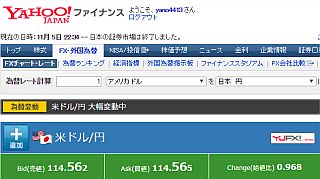
円安で差益を得たのはいいが、一方でガソリン価格や輸入品は値上がりが予想される。2011年のタイ洪水を契機に高値安定となって買い増しできなかった事から、サーバ用バックアップHDDが5年以上経過しているはずなので、MTBF100万時間を謳うWestern Digital WD30EURXを2台調達しておく。