Mdadm

RAID5解放

ReadyNASに構築した6TB×4台で16.5TBのRAIDに無事録画データが移行できたので、WD30EZRx×5構成でRAID5な11TBドライブを解放。

まず/etc/samba/smb.confの共有設定をコメントアウトしたあと、restartしてマウントも解除。

root@GT110b:~# service smbd restart
smbd stop/waiting
smbd start/running, process 8215
root@GT110b:~# umount /mnt/raid
root@GT110b:~#

そしてmdadmでRAIDの停止。

root@GT110b:~# cat /proc/mdstat
Personalities : [linear] [multipath] [raid0] [raid1] [raid6] [raid5] [raid4] [raid10]
md0 : active raid5 sdf[0] sde[5] sdi[4] sdh[2] sdg[1]
      11720540160 blocks super 1.2 level 5, 512k chunk, algorithm 2 [5/5] [UUUUU]
unused devices: <none>
root@GT110b:~#
root@GT110b:~# `mdadm` -D /dev/md0
/dev/md0:
        Version : 1.2
  Creation Time : Thu Jul 20 23:01:38 2017
     Raid Level : raid5
     Array Size : 11720540160 (11177.58 GiB 12001.83 GB)
  Used Dev Size : 2930135040 (2794.39 GiB 3000.46 GB)
   Raid Devices : 5
  Total Devices : 5
    Persistence : Superblock is persistent
    Update Time : Wed Sep 25 01:35:53 2019
          State : clean
 Active Devices : 5
Working Devices : 5
 Failed Devices : 0
  Spare Devices : 0
         Layout : left-symmetric
     Chunk Size : 512K
           Name : GT110b:0  (local to host GT110b)
           UUID : 81328295:5f1fa0c2:b3535462:79680794
         Events : 388988
    Number   Major   Minor   RaidDevice State
       0       8       80        0      active sync   /dev/sdf
       1       8       96        1      active sync   /dev/sdg
       2       8      112        2      active sync   /dev/sdh
       4       8      128        3      active sync   /dev/sdi
       5       8       64        4      active sync   /dev/sde
root@GT110b:~#
root@GT110b:~# `mdadm` --misc **--stop** /dev/md0
mdadm: stopped /dev/md0
root@GT110b:~#
root@GT110b:~# cat /proc/mdstat
Personalities : [linear] [multipath] [raid0] [raid1] [raid6] [raid5] [raid4] [raid10]
unused devices: <none>
root@GT110b:~# `mdadm` --misc --zero-superblock /dev/sd[efghi]
root@GT110b:~#

最後にparted

WD30EZRX再登板

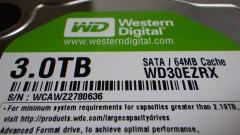
3TB×4構成でRAID5な9TBドライブが窮屈になってきたので、先月のWD40EZRZ投入で浮いたWD30EZRXを追加して、RAID5の容量を拡張する事に。

WD30EZRX

WD30EZRX

7日の夜にmdadm --addでドライブ/dev/sdjを追加し、mdadm --growでreshapingを開始。

root@GT110b:~# `mdadm` `/dev/md0` --add /dev/sdj
root@GT110b:~# `mdadm` --grow `/dev/md0` -n 5
root@GT110b:~#

丸一日以上が経過した、昨日の朝の状況を確認したところ…

root@GT110b:~# `mdadm` -D `/dev/md0`
/dev/md0:
        Version : 1.2
  Creation Time : Thu Jul 20 23:01:38 2017
     Raid Level : raid5
     Array Size : **8790405120 (8383.18 GiB 9001.37 GB)**
  Used Dev Size : 2930135040 (2794.39 GiB 3000.46 GB)
   Raid Devices : 5
  Total Devices : 5
    Persistence : Superblock is persistent
    Update Time : Wed May  9 08:38:47 2018
          **State : clean, reshaping**
 Active Devices : 5
Working Devices : 5
 Failed Devices : 0
  Spare Devices : 0
         Layout : left-symmetric
     Chunk Size : 512K
 **Reshape Status : 50% complete**
  **Delta Devices : 1, (4->5)**
           Name : GT110b:0  (local to host GT110b)
           UUID : 81328295:5f1fa0c2:b3535462:79680794
         Events : 11175
    Number   Major   Minor   RaidDevice State
       0       8       64        0      active sync   /dev/sde
       1       8       80        1      active sync   /dev/sdf
       2       8       96        2      active sync   /dev/sdg
       4       8      112        3      active sync   /dev/sdh
       5       8      144        4      active sync   /dev/sdj
root@GT110b:~#

まだ50%との事だったので、もう一日様子見。 今朝になってStateがcleanになりArray Sizeも増えていたので、xfs_growfsでxfsファイルシステムに反映。

mdadmとRAID5

先週書いたIntel NUCのNICが落ちてしまう件。

懸案だった記憶域プール/スペースの問題はUSB3.0ハブで解消したのだが、結局Intel NUCにサーバ運用は荷が重過ぎると判断し、4SATA HDD はい~るKit Super Turbo 3は素直にgt110bのUSB接続に戻す事に。

折角3TB×4構成なのでmdadmでRaid構築を再確認。まずは普通にpartedで各ドライブに区画を切る。形式は最近のお約束xfsにしておこう。

root@GT110b:~# `mdadm` --zero-superblock /dev/sde
root@GT110b:~# `parted` /dev/sde
GNU Parted 2.3
Using /dev/sde
Welcome to GNU Parted! Type 'help' to view a list of commands.
(parted) mklabel gpt
Warning: The existing disk label on /dev/sde will be destroyed and all data on this disk will be lost. Do you want to
continue?
Yes/No? yes
(parted) p
Model: JMicron Generic DISK00 (scsi)
Disk /dev/sde: 3001GB
Sector size (logical/physical): 512B/4096B
Partition Table: gpt
Number  Start  End  Size  File system  Name  Flags
(parted) unit GB
(parted) mkpart DISK00 xfs 1 -1
(parted) set 1 raid on
(parted) unit s
(parted) p
Model: JMicron Generic DISK00 (scsi)
Disk /dev/sde: 5860533168s
Sector size (logical/physical): 512B/4096B
Partition Table: gpt
Number  Start  End          Size         File system  Name    Flags
 1      2048s  5860532223s  5860530176s  xfs          DISK00  raid
(parted) q
Information: You may need to update /etc/fstab.
root@GT110b:~# `mkfs.xfs` -f /dev/sde1
meta-data=/dev/sde1              isize=256    agcount=32, agsize=22892696 blks
         =                       sectsz=4096  attr=2, projid32bit=0
data     =                       bsize=4096   blocks=732566272, imaxpct=5
         =                       sunit=0      swidth=0 blks
naming   =version 2              bsize=4096   ascii-ci=0
log      =internal log           bsize=4096   blocks=357698, version=2
         =                       sectsz=4096  sunit=1 blks, lazy-count=1
realtime =none                   extsz=4096   blocks=0, rtextents=0
root@GT110b:~#

/dev/sdf~sdhに対しても同じくmdadmpartedmkfs.xfsを実施。