CUPS
先日書いたAirPrint対応の次善策としてGT110bの活用を模索。
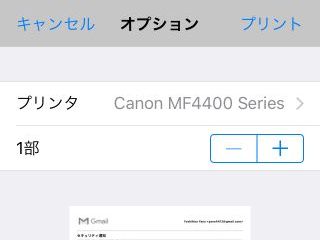
GT110b:631/printers/MF4400-Seriesより
何はともあれGT110bにCUPS(Common Unix Printing System)とプリンタドライバをインストール。
ちなみにキャノンのページプリンタ用のPDL(ページ記述言語)はLIPSだが、プリンタインタフェースの種類としてはLIPS4、LIPS LX、CAPT、CARPS2の違いがあってややこしい。
MF4400の場合はCARPS2らしいので、LIPSLX/CARPS2 Printer Driver for Linux Ver.5.10で良さそうだ。
GT110bにUSBで接続し、プリンタを登録するに倣ってポチポチしていくと
MF4400-Series (待機中, ジョブを受け付け中, 共有, サーバーのデフォルト)
                説明: Canon MF4400 Series
                場所: GT110b
プリンタードライバー: Canon MF4400 Series CARPS2 (白黒, 両面可)
                接続: usb://Canon/MF4400%20Series?serial=0123K7112E0F&interface=1
      デフォルト設定: バナー=none, none 用紙サイズ=iso_a4_210x297mm 両面指定=one-sided
てな感じに登録されるので、テストプリントで問題なければ完了。
実際はGUIじゃなかったのでエラー終了し、lpadminなどごにょごにょ叩いて試行錯誤したのだが。
続いて、ネットワーク共有するためにufwにCUPS(631/TCP)の穴開けを行い、
/etc/cups/cupsd.confにも Order allow,deny のところにAllowにするアドレス情報を列挙。
Order allow,deny
  Allow localhost    # add
  Allow 172.16.1.0/24    # add
  Allow 192.168.199.0/24    # add
そして、Avahiの設定。
AirPrintするためだけにUbuntuでAvahi-daemonを動かしてみました。を鵜呑みにして/etc/avahi/service/AirPrint-Canon_MF4400_Series.serviceまで作ったが、よく考えるとAirPrint非対応のプリンタ情報が
avahi-browse -atr
で出力されるって事はAvahiが自動的に認識して喋っているという事なので、特に設定をしなくてもプラグアンドプレイでイケるようだ。
追伸、BTY備忘録によると
$ sudo apt install apparmor-utils
$ sudo aa-complain cupsd
も必要なようだ。