Archive: 2022/06/25

SwitchBot API

IFTTT不発事故に起因する2021年版AirconShutdownの善後策。
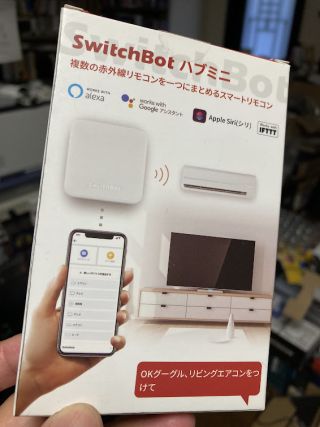
SwitchBotハブミニ
SwitchBotハブミニ

これまではTwitter経由IFTTT家電リモコンSwitchBotを制御していたところ、2022年版IRKitでは直接APIを叩くようにできたので、SwitchBotSwitchBot Open APIを叩くことに。

SwitchBot Open API

https://api.switch-bot.com/v1.0/devices//commands
というRESTエンドポイントに制御データをPOSTする枠組み。で指定する対象装置は
curl --request GET 'https://api.switch-bot.com/v1.0/devices' \
--header 'Authorization: 認証トークン' \
--header 'Content-Type: application/json; charset=utf8'
で一覧を取得できる。なお、認証トークンSwitchBotをHub経由でAPIから操作するに倣い、SwitchBotアプリの「開発者向けオプション」から取得できる。

ちなみに、エアコンの制御データのパラメータは

deviceTypeAir Conditioner
commandTypecommand
CommandsetAll
command parameter{temperature},{mode},{fan speed},{power state}
e.g. 26,1,3,on
Description the unit of temperature is in celsius;
modes include 1 (auto), 2 (cool), 3 (dry), 4 (fan), 5 (heat);
fan speed includes 1 (auto), 2 (low), 3 (medium), 4 (high);
power state includes on and off
…となっているので、、エアコン停止用の
{ "command": "setAll", "parameter": "25,1,1,off", "commandType": "command"}
というデータを"switchbot_aircon_off.json"というファイルにして
#!/bin/bash

BASEPATH=$(dirname $0);

SWITCHBOT_API="https://api.switch-bot.com/v1.0"
SWITCHBOT_TOKEN="90edf....3431"

hdr_auth="Authorization:${SWITCHBOT_TOKEN}"
hdr_type="Content-Type: application/json"
# BODY="@${BASEPATH}/switchbot_aircon_off.json"
BODY='{"commandType": "command", "command": "setAll", "parameter": "25,1,1,off"}'

AIRCON_1F="01-2020XXXXXXXX-32" # 1F
AIRCON_2F="01-2020YYYYYYYY-52" # 2F
AIRCON_3F="01-2020ZZZZZZZZ-82" # 3F

for DEVICE_ID in $AIRCON_1F $AIRCON_2F $AIRCON_3F;
do
URL="${SWITCHBOT_API}/devices/${DEVICE_ID}/commands"
curl "${URL}" \
--silent -O /dev/null \
-H "${hdr_auth}" -H "${hdr_type}" \
-X POST -d "${BODY}"
done
というスクリプトを回せばエアコン3台が順次停止になる運びだ。

Nature Remo

昨年6月に復活したIRKitの不調具合が加速してきた折、3,980円であらゆる家電をIoT化。Matterリモコン「Nature Remo nano」というニュースで、一つ前世代のNature Remo miniを調達してたのを思い出し、慌てて投入。

yano@haswell:~/smarthome$ Token=zjKKjfAL6X36SJvKtuqqXxm2SHMFeAjBnTHxZUhdzjKKjfAL6X36SJvKtuqqXxm2SHMFeAjBnTHxZUhd
yano@haswell:~/smarthome$ curl -X GET "https://api.nature.global/1/devices" -H "accept: application/json" -k --header "Authorization: Bearer ${Token}" | jq
[
{
"name": "Remo mini",
"id": "deb07f72-a5ab-4262-915b-ABCDEFG",
"created_at": "2023-08-09T01:31:06Z",
"updated_at": "2023-08-09T02:15:12Z",
"mac_address": "98:cd:ac:XX:YY:ZZ",
"bt_mac_address": "98:cd:ac:XX:YY:ZZ",
"serial_number": "2W221070012345678",
"firmware_version": "Remo-mini/1.12.2",
"temperature_offset": 0,
"humidity_offset": 0,
"users": [
{
"id": "c376a287-5300-4c8b-b793-ABCDEFG",
"nickname": "ホゲホゲフーガ",
"superuser": true
}
],
"newest_events": {
"te": {
"val": 32,
"created_at": "2023-08-09T05:03:19Z"
}
}
}
]
yano@haswell:~/smarthome$

Nature Developer PageによるとIRKitのような「Local API」も公開されているらしい。

yano@haswell:~/smarthome$ avahi-browse -t _remo._tcp
+ vlan.3 IPv6 Remo-mini5CD364 _remo._tcp local
+ vlan.3 IPv4 Remo-mini5CD364 _remo._tcp local
yano@haswell:~/smarthome$ avahi-resolve -n Remo-mini5CD364.local
Remo-mini5CD364.local 10.20.199.127
yano@haswell:~/smarthome$
IRKitと同じ流儀で
yano@haswell:~/smarthome$ REMO_TCP=$(avahi-browse -t _remo._tcp);
yano@haswell:~/smarthome$ ADDR_REMO=$(avahi-resolve -n $(echo $REMO_TCP | awk '{print $4"."$6}') | awk '{print $2}')
yano@haswell:~/smarthome$ curl -H "X-Requested-With: curl" -i "http://$ADDR_REMO/messages"
HTTP/1.1 200 OK
Content-Type: application/json
Content-Length: 1726
Server: Remo-mini/1.12.2

{"format":"us","freq":39,"data":[ 8543,4395,482,595,510,621,484,619,536,568,482,621,484,621,484,619,480,1779,450,655,480,1777,482,1779,481,1777,530,575,448,1810,485,1772,476,629,472,631,483,622,450,640,499,618,479,626,482,621,520,585,470,633,479,1779,479,1780,506,1754,474,1784,483,1777,450,1810,475,1756,476,1794,520,42264,9999,5162,546,1966,518,1996,540,1971,544,713,548,710,545,1964,550,1964,544,1967,544,713,516,739,553,1961,517,1994,551,706,517,737,544,713,518,739,542,1970,544,1968,549,708,517,1994,544,712,545,710,544,713,552,1962,541,713,544,713,542,1970,542,715,542,1969,544,1970,595,1917,541,713,555,47213,3289,1769,310,1373,333,490,340,480,380,442,320,486,351,471,342,495,293,529,293,527,295,527,295,527,292,528,294,1361,310,527,294,525,373,449,331,490,296,527,329,464,324,510,338,1345,297,1373,293,521,303,510,346,464,322,527,293,527,295,527,319,1334,310,512,310,1373,321,501,295,1372,296,1359,310,1373,295,1375,295,527,292,1360,310,527,375,1294,294,527,295,525,295,512,336,486,310,512,309,526,341,482,383,438,295,1358,377,1308,293,1375,295,1358,388,1297,295,1373,294,1358,310,1375,293,1375,295,1358,310,512,310,527,293,527,295,527,370,451,294,527,297,510,312,510,310,1373,295,1375,293,1360,310,1373,295,1375,295,1358,341,494,374,1294,296,528,292,527,298,510,312,509,311,1372,298,1355,314,1372,292,527,326,1344,293,1360,311,1372,333,1336,294,512,310,512,310,36593,3461,1829,337,538,332,538,332,1407,356,1383,399,471,358,1377,334,536,362,507,364,500,372,1368,369,500,338,538,331,1408,332,538,361,1370,338,536,360,1379,363,501,337,539,331,1408,329,540,332,538,330,540,377,488,360,1379,360,1380,331,1408,363,1371,371,496,338,1405,334,536,370,496,369,500,367,1371,337,1408,332,538,331,538,396,1336,337,536,360]}
yano@haswell:~/smarthome$
と、リモコンのデータも取得できるようだ。